The Challenge of YouTube's Algorithm-First Feed
YouTube's core algorithm is engineered to maximize engagement, prioritizing metrics like watch time, click-through rates, and session duration. YouTube's core algorithm is engineered to maximize engagement, prioritizing metrics like watch time, click-through rates, and session duration. This design often leads to a feed dominated by trending, sensational, or repetitive content, much of which is surfaced by AI systems aiming to keep viewers on the platform as long as possible. For users seeking specific, high-quality, or niche content, this algorithmic approach presents a significant challenge. The platform's built-in 'Not interested' or 'Don't recommend channel' options provide some feedback, but they frequently fall short. The sheer volume of new content and the algorithm's persistent drive for broad appeal mean that unwanted suggestions can quickly reappear or be replaced by similar, equally undesirable material. Regaining control means moving beyond passive signals and actively shaping your browsing environment, much like you might clean up other forms of AI clutter across your browser.

Identifying AI-Driven Recommendations on YouTube
Recognizing content pushed by YouTube's AI can help you understand why your feed might feel off-topic or overwhelming. Recognizing content pushed by YouTube's AI can help you understand why your feed might feel off-topic or overwhelming. These recommendations often manifest as content you've already watched but from different creators, broadly similar topics from numerous low-quality channels, or videos with 'shocking' thumbnails that dominate the trending section even if you don't subscribe to the channels. They are designed to exploit engagement patterns rather than align with your true interests, often leading to a diluted viewing experience. Pinpointing these patterns is the first step toward effective filtering and reclaiming your browsing control.
Practical Scenarios for Spotting AI-Heavy Content
Scenario 1: Repetitive Topic Surfacing
- Situation: You watched one video about 'smart home gadgets,' and now your entire homepage is filled with similar unboxing or review videos from dozens of channels you have never heard of, regardless of their quality.
- Recommended Option: Use a browser extension to block specific keywords (e.g., 'smart home review,' 'gadget haul') or channels that consistently appear. This signals a broad disinterest in that topic's oversaturation, rather than just a single video.
- Alternative Option: Continuously click 'Not interested' or 'Don't recommend channel' on every single video, which is a time-consuming and often ineffective approach against a persistent algorithm.
- What To Avoid: Assuming YouTube will eventually 'learn' through passive dismissal. The algorithm's primary goal is broad engagement, not niche curation based on negative feedback alone.
Scenario 2: Clickbait Over Quality
- Situation: Your feed is saturated with videos featuring sensational headlines and exaggerated thumbnails, making it hard to find well-researched, substantive content from your preferred creators.
- Recommended Option: Implement filters that identify and hide videos based on common clickbait keyword patterns (e.g., 'shocking truth,' 'you won't believe') or visual cues in titles and thumbnails. Some advanced extensions can even analyze sentiment.
- Alternative Option: Manually scrolling past dozens of undesirable videos, which diminishes the overall enjoyment and utility of the platform.
- What To Avoid: Clicking on clickbait just to see if it is legitimate, as this action reinforces the algorithm that you are interested in that content type, regardless of your intent.
Browser Extensions for Direct YouTube Feed Control
Browser extensions provide a layer of granular control that YouTube's native interface lacks. Browser extensions provide a layer of granular control that YouTube's native interface lacks. These tools empower you to filter content based on keywords, channels, categories, and even specific sections of the YouTube layout. Unlike YouTube's internal algorithms, which prioritize broad engagement, these extensions allow you to define what 'engagement' means to you, giving you agency over your viewing experience. They are more robust than built-in options because they operate at the browser level, directly modifying what you see, rather than just providing suggestions to an opaque algorithm. This direct intervention is key to truly filtering your feed effectively.
Key Features to Look For in a Filtering Extension
Key Features to Look For in a Filtering Extension.
- Keyword Blocking: The ability to hide videos whose titles or descriptions contain specific words or phrases. Essential for eliminating niche topics you no longer wish to see.
- Channel Blocking: Directly preventing videos from specific channels, regardless of their content, from appearing in your feed.
- Category/Topic Filtering: Some extensions allow broad filtering based on YouTube's internal categories or custom topic tags.
- Hiding Specific Sections: Options to completely remove sections like 'Trending,' 'Shorts,' 'For you,' or 'News' from your homepage.
- Custom Rules and Presets: Advanced features that allow you to create complex filtering rules or save different configurations for various viewing moods (e.g., 'focus mode' vs. 'discovery mode').
- Import/Export Settings: Useful for backing up your preferences or transferring them between browsers.
| Feature | Native YouTube Controls | Basic Browser Extension | Advanced Filtering Extension |
|---|---|---|---|
| Keyword Blocking (Titles) | No direct feature | Limited (e.g., simple block list) | Extensive (regex, context-aware) |
| Channel Blocking | 'Don't recommend channel' (mild effect) | Effective (hides channel videos) | Effective (with management tools) |
| Feed Section Hiding (e.g., Shorts, Trending) | No direct control | Basic (hides entire sections) | Granular (hide/show specific modules) |
| Content Sentiment Filtering | No | No | Some advanced extensions offer analysis |
| Custom Rules/Presets | No | Limited to simple toggles | Extensive profile management |
| Import/Export Settings | No | Rare | Commonly available |
| Impact on Algorithm | Provides weak signal | Directly modifies visual output | Directly modifies visual output |
Practical Strategies for a Cleaner YouTube Experience
While browser extensions offer powerful tools, combining them with conscious viewing habits enhances their effectiveness. While browser extensions offer powerful tools, combining them with conscious viewing habits enhances their effectiveness. A truly cleaner YouTube experience comes from a multi-faceted approach, integrating active content management with your chosen filtering tools. This ensures that you not only block what you don't want but also actively reinforce what you do want, creating a more positive feedback loop for your personalized consumption. It is about intentionally curating your digital environment for digital well-being.
Scenarios for Enhancing Control Through Habits
Scenario 3: Restoring Subscription Priority
- Situation: You subscribe to numerous valuable channels, but your YouTube homepage is consistently dominated by popular, non-subscribed content or trending videos, pushing your actual subscriptions out of immediate view.
- Recommended Option: Use an extension that lets you prioritize your 'Subscriptions' feed or completely hide the 'Home' page. This forces you to navigate directly to your subscriptions, ensuring you see content from creators you've chosen to follow.
- Alternative Option: Relying solely on the 'Subscriptions' tab, which is still subject to YouTube's internal sorting and may not always display the latest from your preferred creators in a coherent order.
- What To Avoid: Letting the main 'Home' feed dictate your viewing. This feed is optimized for broad engagement, not for prioritizing your specific subscriptions.
Scenario 4: Actively Curating Your Watch History
- Situation: Your watch history contains a mix of desired content and irrelevant videos you clicked out of curiosity or by accident, which then negatively influences future recommendations.
- Recommended Option: Regularly review and clear irrelevant videos from your watch history. Alternatively, pause watch history altogether when viewing content you don't want to influence your feed, such as researching a temporary interest.
- Alternative Option: Ignoring your watch history. This allows temporary interests, a quick click, or accidental engagements to continuously skew your recommendation profile over time, making it harder to get relevant suggestions.
- What To Avoid: Assuming that a brief watch and exit for an undesirable video won't leave a lasting signal. YouTube's algorithm tracks all interaction.
What Are the Tradeoffs of Aggressive Filtering?
While strict filtering offers significant benefits in terms of focus and content quality, it also introduces tradeoffs. While strict filtering offers significant benefits in terms of focus and content quality, it also introduces tradeoffs. An overly aggressive approach can lead to an 'echo chamber' effect, where you are only exposed to content that reinforces your existing views, potentially limiting discovery and new perspectives. The goal is to strike a balance: reduce unwanted noise without completely isolating yourself from valuable, diverse content or timely information. Understanding these compromises helps you fine-tune your filtering strategy to align with your personal browsing goals.
Navigating the Balance of Discovery and Control
Scenario 5: Discovering New Channels
- Situation: You've implemented strict keyword and channel blocks to eliminate unwanted content, but now you rarely see new, high-quality channels that might align with your interests, leading to a static viewing experience.
- Recommended Option: Temporarily relax some filtering rules or create specific 'discovery mode' profiles within your extension. This allows for occasional, controlled exploration without bringing back all the initial clutter.
- Alternative Option: Sticking rigidly to your filtered list, missing out on potential new favorite creators, diverse viewpoints, or emerging trends.
- What To Avoid: Randomly disabling all filters to find new content, which negates all the effort you put into cleaning your feed and brings back overwhelming recommendations.
Scenario 6: Missing Timely News or Trends
- Situation: Your feed is heavily filtered to remove general news or trending topics, but you sometimes miss important updates or cultural moments that could be relevant to you.
- Recommended Option: Establish a specific 'news digest' or 'trending' block within your filtering extension that you can enable manually when you explicitly want to check for updates. Alternatively, subscribe directly to trusted news channels and prioritize their content.
- Alternative Option: Trying to find specific news through YouTube's search, which can still lead to algorithmic noise and less curated results.
- What To Avoid: Relying on a completely unfiltered 'Home' page for news, as it often prioritizes sensationalism and broad appeal over objective reporting or relevance to your specific interests.
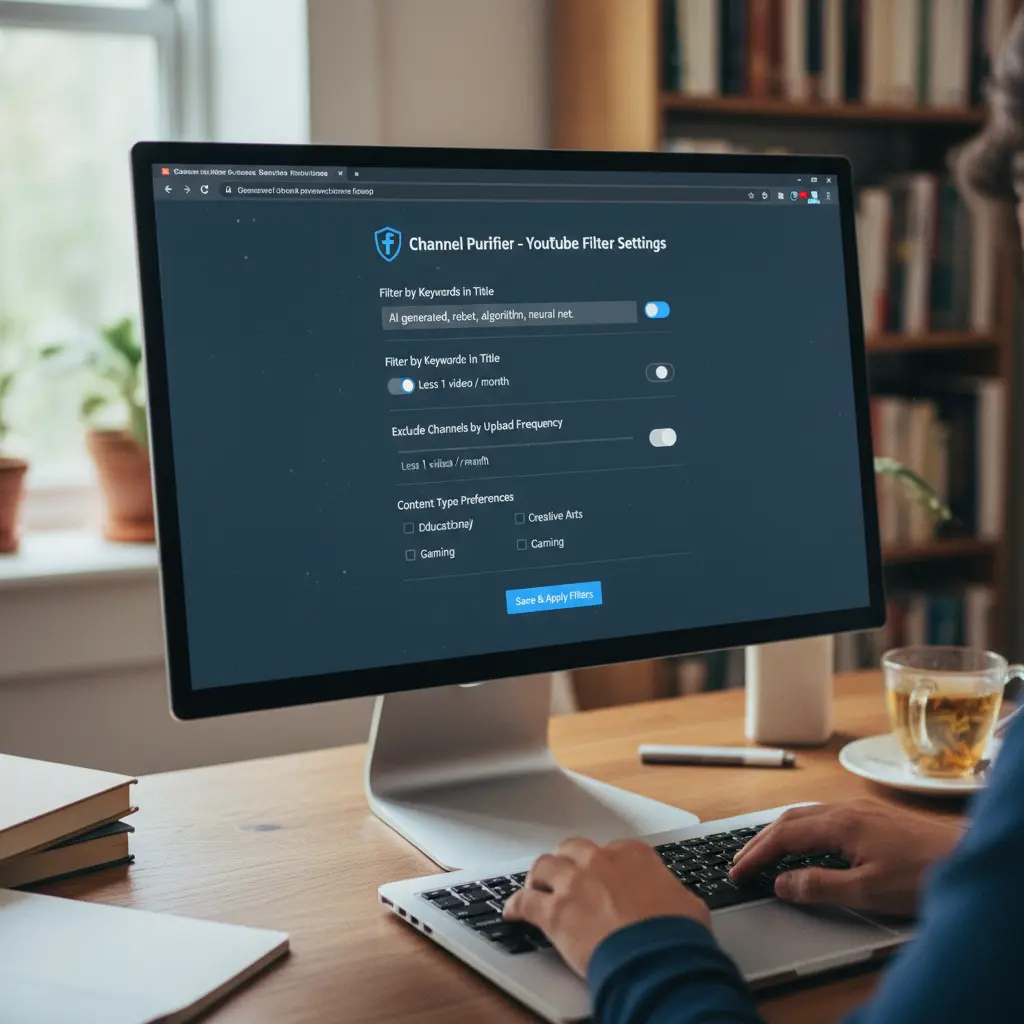
Setting Up Your Preferred YouTube Filtering Extension
Getting started with a browser extension to clean your YouTube feed is a straightforward process, but effective setup requires a few deliberate steps. Getting started with a browser extension to clean your YouTube feed is a straightforward process, but effective setup requires a few deliberate steps. The key is to be proactive and systematic, making initial broad adjustments and then refining them based on your actual viewing patterns. This process ensures that your chosen tool aligns perfectly with your preferences, creating a consistently cleaner and more controlled browsing environment. Most extensions follow a similar configuration logic, allowing for easy adaptation between different tools.
- Install the Extension: Navigate to your browser's official extension store (e.g., Chrome Web Store, Firefox Add-ons) and search for a reputable YouTube filtering or feed control extension. Install it with the necessary permissions.
- Open its Settings Panel: After installation, click on the extension icon in your browser toolbar to access its configuration options. This is where you'll define your filtering rules.
- Define Initial Keyword Blocks: Start by adding common keywords associated with content you consistently want to avoid. Think about broad topics or specific phrases that frequently appear in unwanted recommendations.
- Add Specific Channels to a Block List: If there are particular channels that frequently appear and you know you never want to see their content, add them to the extension's channel block list.
- Adjust Feed Section Visibility: Utilize options to hide sections like 'Shorts,' 'Trending,' 'YouTube Mixes,' or 'For you' that contribute to clutter without providing value to your viewing.
- Save Your Configuration: Ensure all your changes are saved within the extension. Some extensions apply changes automatically, while others require manual saving.
- Monitor and Refine: Over the next few days, observe how your YouTube feed changes. If unwanted content still slips through, adjust your keyword lists or block more channels. If you feel too isolated, consider relaxing some rules.
Beyond YouTube - Applying Filtering Principles to Other Platforms
The principles of filtering AI-heavy recommendations extend far beyond YouTube. The principles of filtering AI-heavy recommendations extend far beyond YouTube. Most popular online platforms, including social media feeds, news aggregators, and even search results, increasingly rely on sophisticated AI to curate what you see. This often leads to similar issues: content overload, repetition, sensationalism, and a general feeling of losing control over your digital experience. The strategies employed for YouTube-using browser extensions for granular keyword blocking, channel hiding, and section removal-can be adapted to address these broader challenges. Many of the same types of tools exist for platforms like X (formerly Twitter), Facebook, and various news sites, offering similar functionalities to reclaim your feed. Learning to identify algorithmic patterns and apply active filtering tools is a skill that empowers you across the entire web, helping you manage all forms of AI-driven clutter. This broader approach ensures a more focused and intentional interaction with all your digital environments, leading to a cleaner online presence overall, as explored in our guide to cleaner social media feeds.