
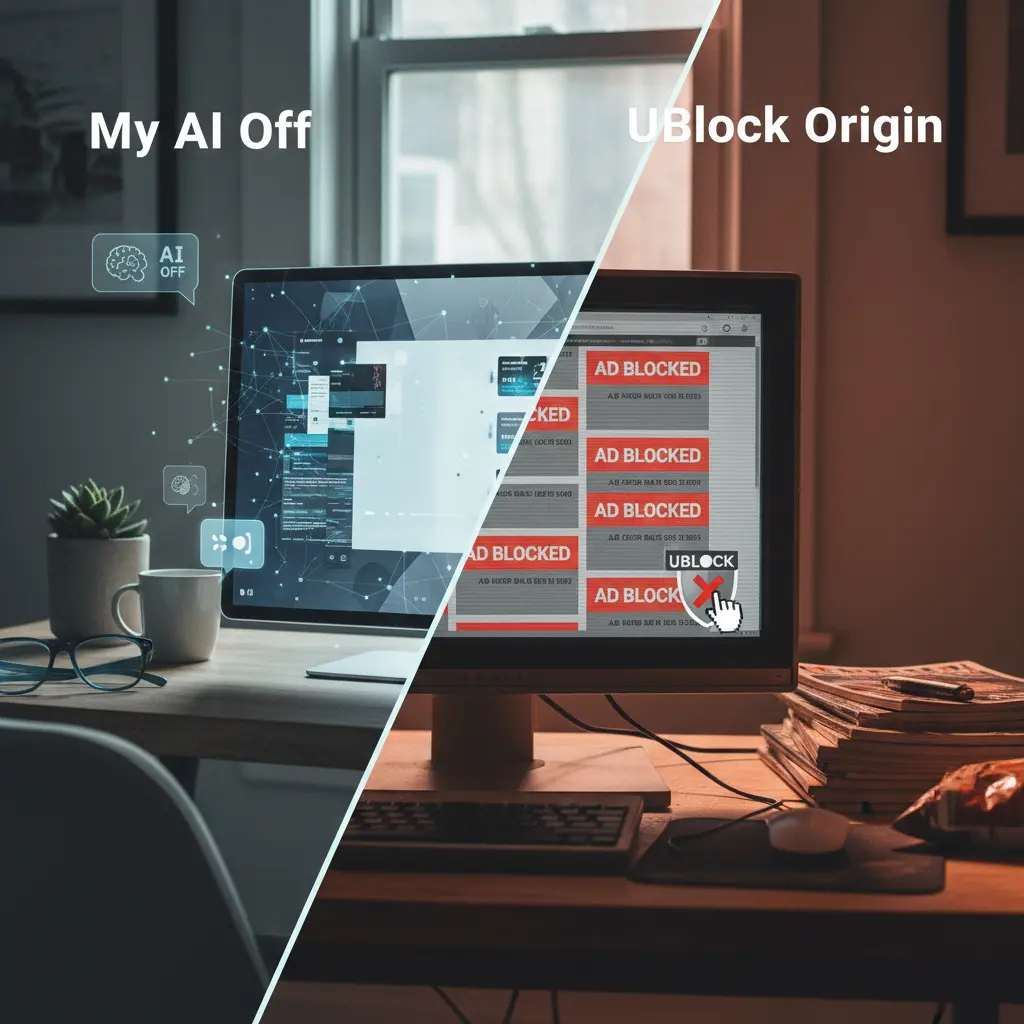
My Ai Off and uBlock Origin offer distinct yet complementary tools for reclaiming your browser experience, targeting modern AI-generated content and traditional web annoyances respectively. Understanding their specific functions is crucial for making informed decisions about how to best manage the overwhelming flow of information and digital noise encountered daily. Both empower users to exert greater control, but they address different categories of distractions and data overload.
Core Purpose: AI Clutter Against General Web Filtering
My Ai Off is precisely engineered to combat the rapid proliferation of generative AI content now permeating search results, social media feeds, and various online platforms. My Ai Off is precisely engineered to combat the rapid proliferation of generative AI content now permeating search results, social media feeds, and various online platforms. Its primary goal is to provide a cleaner, more human-centric browsing experience by removing or minimizing AI-generated text, summaries, and interface elements. This means targeting specific surfaces like Google's Search Generative Experience (SGE) overviews, AI-powered article summaries, or automatically generated social media content blocks. It functions as a specialized instrument designed for a contemporary challenge: the increasing volume of automated information vying for user attention and often adding more cognitive load than value.
In stark contrast, uBlock Origin operates as a widely adopted, high-performance content blocker with a much broader mandate. Its strength lies in efficiently blocking advertisements, trackers, malware sites, and general web annoyances. By leveraging extensive filter lists like EasyList, EasyPrivacy, and its own uBlock filters, it significantly reduces page load times, conserves bandwidth, and enhances user privacy by preventing connections to known tracking domains. While uBlock Origin can indirectly affect some AI elements if they are served as ads or through tracking domains, its design does not specifically identify and filter AI-generated textual or visual content based on its origin or nature. Its operational focus remains on network requests and preventing unwanted third-party connections that compromise performance or privacy.
My Ai Off's Targeted Approach to AI Content
My Ai Off directly addresses a growing pain point for many internet users: the sensation of being overwhelmed by automated content that often adds more clutter than genuine utility. My Ai Off directly addresses a growing pain point for many internet users: the sensation of being overwhelmed by automated content that often adds more clutter than genuine utility. When performing searches on platforms like Google, the extension identifies and hides or collapses AI-generated summaries, frequently referred to as Search Generative Experience (SGE) or similar AI overviews. This functionality allows users to bypass AI synthesis and navigate straight to traditional organic search results, offering a deliberate choice to prioritize direct source access over algorithmic interpretation that may not align with specific information needs.
Beyond search engines, My Ai Off extends its filtering to other online environments where AI might insert itself into the content stream. This includes social media feeds, where AI-generated content or algorithmic summaries can dilute the authentic user experience, or news sites that might employ AI for article summarization. The extension operates by analyzing a page's structure and content, applying specific rules to detect and suppress these AI elements without affecting core functionalities. This provides users with fine-grained control over their information diet, helping to reduce cognitive overload and focus on content created or curated by humans, or at least presented without an intrusive intermediary AI layer. The objective is to restore a sense of directness and intention to browsing, allowing individuals to decide if and when they engage with AI-filtered information. For additional strategies on managing digital noise, explore our guide on Taming AI Clutter with Browser Extensions.

uBlock Origin: Shielding Against Ads and Trackers
uBlock Origin operates as a robust shield against the pervasive advertising and tracking ecosystem characteristic of the modern web. uBlock Origin operates as a robust shield against the pervasive advertising and tracking ecosystem characteristic of the modern web. Its fundamental mechanism involves intercepting and blocking network requests that match patterns found in its comprehensive filter lists. This encompasses not only various display advertisements-from banner ads to video pre-rolls-but also the myriad scripts and pixels utilized by advertisers and analytics companies to track user behavior across websites. By preventing these requests from even reaching the browser, uBlock Origin delivers a dual benefit: a cleaner browsing experience devoid of visual clutter and a significant boost in privacy by thwarting cross-site tracking efforts.
The impact of uBlock Origin extends beyond merely hiding advertisements. By preventing connections to ad servers and trackers, it notably reduces the amount of data transferred, leading to faster page load times and lower bandwidth consumption. This is particularly advantageous on slower internet connections or for users with data-capped plans. Furthermore, its capability to block known malware domains adds a critical layer of security, safeguarding users from potentially malicious content distributed through compromised ad networks. While primarily focused on eliminating ads and enhancing privacy, its extensive filtering capabilities can occasionally block elements that are incidentally AI-powered if those elements are delivered through advertising or tracking infrastructure. However, this occurs as a side effect of its primary function, not as a direct targeting of AI content itself.
Synergy in Browser Control: Using Both Extensions
In most situations, deploying both My Ai Off and uBlock Origin concurrently is not only feasible but often highly recommended for achieving a truly comprehensive browser control strategy. In most situations, deploying both My Ai Off and uBlock Origin concurrently is not only feasible but often highly recommended for achieving a truly comprehensive browser control strategy. These two extensions operate on distinct principles and target different categories of web content, making them largely complementary rather than conflicting in function. My Ai Off focuses on identifying and suppressing the structural and textual elements recognized as AI-generated content within a loaded page, while uBlock Origin primarily filters network requests to block ads, trackers, and potentially malicious domains before they even load.
Consider their combined operation: uBlock Origin acts as a vigilant gatekeeper, preventing unwanted external guests-like advertisements and tracking scripts-from entering your browser environment. My Ai Off, on the other hand, functions more like an intelligent editor once the legitimate content of a page has loaded, identifying and tidying up specific types of content, such as AI overviews or summaries, that made it past the initial network filter. Because their areas of expertise are distinct, operational conflicts are exceedingly rare. Running both ensures you are protected from both traditional web annoyances and the newer wave of AI-generated clutter, offering a powerful, layered defense for your digital well-being. This combined approach allows for a highly customized and significantly cleaner browsing environment, addressing multiple facets of the modern web experience.
Choosing Your Tools: Practical Scenarios and Decision Factors
Making an informed choice regarding which extension, or combination thereof, best suits your needs depends heavily on your specific browsing habits and what kind of digital distractions you prioritize removing. Making an informed choice regarding which extension, or combination thereof, best suits your needs depends heavily on your specific browsing habits and what kind of digital distractions you prioritize removing. Are you more bothered by the constant barrage of advertisements and privacy threats, or is the rise of AI-generated content the more pressing issue for your online experience? The following scenarios and decision factors offer guidance.
- Scenario: Daily Google Searcher Annoyed by SGE Overviews.
- Concrete user situation: You frequently use Google Search for research or quick lookups and find the large, AI-generated overviews (SGE) distracting or unhelpful, preferring to see traditional search results directly.
- Recommended option: My Ai Off.
- Alternative option: Manually scroll past SGE, or use specific search operators.
- What to avoid: Relying solely on uBlock Origin, as it will not consistently block SGE content.
- Short explanation: My Ai Off is purpose-built to detect and hide these specific AI elements, giving you immediate access to organic links.
- Scenario: Wanting a Cleaner YouTube Experience Free of Interruptions.
- Concrete user situation: You watch a lot of YouTube and are tired of pre-roll ads, mid-roll ads, and sidebar ads, which interrupt your viewing experience.
- Recommended option: uBlock Origin.
- Alternative option: Pay for YouTube Premium.
- What to avoid: Expecting My Ai Off to block these traditional video advertisements.
- Short explanation: uBlock Origin excels at blocking all forms of advertising, including those on video platforms, making for uninterrupted playback.
- Scenario: Concerned about General Website Trackers and Data Collection.
- Concrete user situation: You value your online privacy and want to prevent websites from tracking your browsing habits across different sites for advertising or data collection.
- Recommended option: uBlock Origin.
- Alternative option: Use a privacy-focused browser or a VPN in conjunction with other privacy tools.
- What to avoid: Believing My Ai Off provides comprehensive tracking protection, as that is outside its scope.
- Short explanation: uBlock Origin's extensive privacy filter lists actively block known tracking scripts and third-party cookies.
- Scenario: Browsing Social Media Without Algorithmic and AI-Generated Posts.
- Concrete user situation: Your social media feeds are increasingly filled with AI-generated summaries, recommended posts, or content crafted by algorithms, diluting the authentic social experience.
- Recommended option: My Ai Off.
- Alternative option: Limit social media use, or carefully curate your follows to minimize algorithmic interference.
- What to avoid: Using only uBlock Origin, which will remove ads but not the AI-generated content within the feed structure itself.
- Short explanation: My Ai Off is designed to target and suppress these specific types of AI-driven content within platform interfaces.
- Scenario: Maximizing Page Load Speed and Conserving Bandwidth.
- Concrete user situation: You have a slow internet connection or a data cap and want to ensure websites load as quickly as possible with minimal data usage.
- Recommended option: uBlock Origin.
- Alternative option: Use a stripped-down browser or a browser's built-in data saver mode.
- What to avoid: Neglecting the significant impact of ad and tracker blocking on performance.
- Short explanation: By preventing numerous external requests from ads and trackers, uBlock Origin directly reduces page weight and load times.
- Scenario: Desiring Comprehensive Digital Well-being and Browser Control.
- Concrete user situation: You want a holistic approach to managing your online environment, reducing all forms of unwanted digital noise-from intrusive ads to algorithmic clutter.
- Recommended option: Both My Ai Off and uBlock Origin.
- Alternative option: Install many specialized extensions, potentially leading to conflicts and increased browser overhead.
- What to avoid: Choosing only one tool and leaving yourself vulnerable to the other type of digital distraction.
- Short explanation: Using both extensions in tandem provides a powerful, layered defense against different categories of online annoyances, ensuring a truly controlled browsing space.
| User Goal | Primary Recommendation | Secondary (Complementary) | Key Consideration |
|---|---|---|---|
| Reduce AI-Generated Clutter (e.g., SGE) | My Ai Off | My Ai Off specifically targets AI content; uBlock Origin does not. | |
| Block All Ads (Display, Video, Pop-ups) | uBlock Origin | uBlock Origin's robust filter lists are designed for comprehensive ad blocking. | |
| Enhance Online Privacy (Trackers) | uBlock Origin | uBlock Origin prevents most third-party tracking scripts and pixels. | |
| Improve Page Load Speed / Save Bandwidth | uBlock Origin | Blocking ads and trackers significantly reduces page weight and network activity. | |
| Clean Up Social Media Feeds (AI Content) | My Ai Off | My Ai Off removes AI-generated elements within social platforms' interfaces. | |
| Holistic Browser Control (Ads + AI) | Both My Ai Off and uBlock Origin | Combining them provides the most comprehensive protection and control. | |
| Minimal Extension Footprint | Either (depending on priority) | Prioritize the single most annoying factor if you prefer fewer installed extensions. | |
| Custom Filtering Capabilities | uBlock Origin | uBlock Origin offers advanced users extensive custom rule creation and management. |
Installation and Initial Setup Guidelines
Both My Ai Off and uBlock Origin are available as browser extensions, making their installation process straightforward across popular browsers like Chrome, Firefox, Edge, and Brave. Both My Ai Off and uBlock Origin are available as browser extensions, making their installation process straightforward across popular browsers like Chrome, Firefox, Edge, and Brave. Here's a general overview of what to expect during installation and initial setup:
- Locate the Extension: Begin by navigating to your browser's official extension store (e.g., Chrome Web Store, Firefox Add-ons). Use the search function to find "My Ai Off" and "uBlock Origin" respectively. Always ensure you are installing the genuine extension to avoid counterfeit or malicious versions.
- Initiate Installation: Click the "Add to [Browser Name]" or "Install" button. Your browser will typically display a prompt asking for specific permissions the extension requires to function. Carefully review these permissions before proceeding with the installation. Both extensions generally require broad permissions to analyze and modify web content, which is essential for their intended function of filtering and blocking.
- Post-Installation Setup and Configuration:
- uBlock Origin: Upon installation, uBlock Origin typically starts working immediately with its default, highly effective filter lists enabled. You can access its dashboard by clicking on its icon in your browser's toolbar. From here, you can review blocked items, manage custom filters, or enable additional specialized filter lists (e.g., for specific languages, regional ads, or advanced privacy). For experienced users, it offers highly granular control over network requests.
- My Ai Off: This extension also begins working automatically once installed. Its controls are generally simpler than uBlock Origin's, often involving a straightforward toggle to enable or disable its AI-blocking features for specific sites or globally. You can usually find its settings by right-clicking its icon or accessing your browser's general extension management page.
- Testing and Customization: After installation, visit a few of your regularly used websites or perform a Google search to observe the extensions in action. If you encounter any unexpected issues, such as an important site breaking or displaying incorrectly, both extensions offer easy options to temporarily disable them for that specific site or to add the site to a whitelist. This ensures a seamless browsing experience even on platforms that might have compatibility challenges with content blockers. For deeper insights into managing similar browser control tools, consult our comprehensive guide on Enhancing Browsing Focus.
Beyond Blocking: A Broader View of Digital Well-being
Implementing My Ai Off and uBlock Origin represents a significant step towards cultivating a more controlled and less cluttered online experience. Implementing My Ai Off and uBlock Origin represents a significant step towards cultivating a more controlled and less cluttered online experience. However, true browsing control extends beyond merely blocking unwanted elements; it encompasses a broader philosophy of digital well-being and intentional internet use. By actively taking measures against intrusive ads and overwhelming AI content, you are proactively shaping your digital environment to better serve your focus, productivity, and overall peace of mind. This intentional approach aligns with a growing movement towards reducing algorithmic interference and prioritizing human agency in how we consume information.
Consider these extensions as foundational layers within a personal browsing toolkit. For users seeking even greater control, exploring other browser control extensions that manage tab overload, restrict disruptive notifications, or promote focused work sessions can further amplify the benefits. The ultimate goal is to create a browsing space that respects your attention, minimizes distractions, and empowers you to navigate the vastness of the web on your own terms. This often involves critically evaluating which information sources you engage with and actively curating your digital consumption rather than passively accepting what algorithms deliver. For more resources on navigating complex digital landscapes and maintaining control, explore our central Browser Control Extensions hub.
Related resources
Related resources.
Frequently Asked Questions
Frequently Asked Questions.
- Does My Ai Off block traditional ads like banners and video pre-rolls?
- No, My Ai Off is specifically designed to target and remove AI-generated content, such as search overviews and AI-written summaries. It does not block traditional advertisements; that is uBlock Origin's primary function.
- Will uBlock Origin block AI-generated search results or social media content?
- uBlock Origin's main purpose is to block ads, trackers, and malware. While it might incidentally block some AI elements if they are delivered via advertising networks, it is not specifically engineered to detect and hide AI-generated textual content in search results or social feeds.
- Are My Ai Off and uBlock Origin compatible with each other?
- Yes, they are generally compatible and often complementary. My Ai Off focuses on AI content detection, while uBlock Origin handles ads and tracking. Using both provides a more comprehensive layer of control over your browsing experience.
- Which extension is better for improving page load times?
- uBlock Origin is generally more effective at improving page load times. By preventing numerous ad and tracker requests, it significantly reduces the amount of data transferred and processed by your browser.
- Is there a noticeable performance impact when running both extensions?
- Both extensions are designed to be lightweight. While any additional extension adds a minimal overhead, the performance impact of running both My Ai Off and uBlock Origin simultaneously is typically negligible and often outweighed by the benefits of a cleaner, faster browsing experience.
- Can I temporarily disable these extensions for specific websites?
- Yes, both My Ai Off and uBlock Origin provide easy options to temporarily disable them for an individual site, or to whitelist a site entirely, if you encounter compatibility issues or need to view content that requires them to be off.